



My Ayvens
Frequently asked questions
My Ayvens is our online tool that allows you, as a fleet manager or driver, to manage your lease vehicle(s) quickly and easily. It brings all the important information together in one place and allows you to request documents, edit details and much more...
Questions for fleet managers
How do I create a My Ayvens account? If you previously had a My ALD or My LeasePlan account, you don't need to create a new account. Just log in with your email address and password. If you've never had an account, enter your email address on the login page and click ‘register account’. How to do a driver switch? Go to "long term contracts", use the search bar at the top to find the contract you want, click on the 3 dot menu and select "driver switch". Then follow the sidepanel flow. Make sure that the driver is already created in My Ayvens under the company that provides the vehicle. If this is not the case, you can easily create the driver in the "manage users" menu.
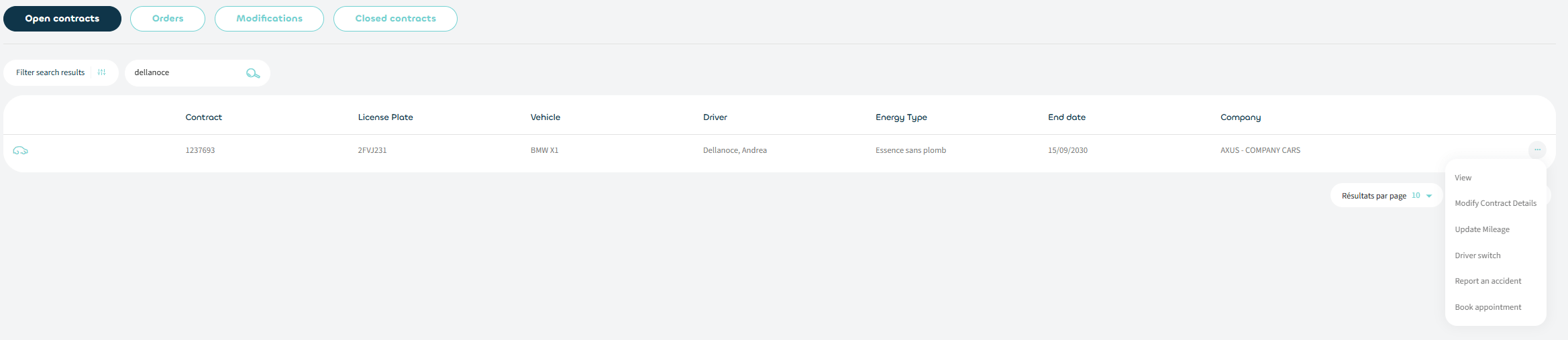How to book an appointment for maintenance? Go to "long term contracts", use the search bar at the top to find the contract you want, click on the 3 dot menu and select "book appointment". Then follow the sidepanel flow. Icons with a calendar indicate that you will be able to directly consult and book an appointment in the partner's agenda. As a fleet manager, you are able to consult the appointments made by your drivers in the appointment section of the "contracts" menu.
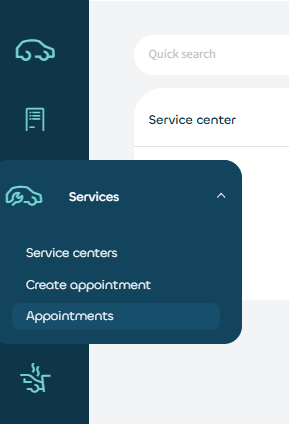How to file an accident declaration? Go to "long term contracts", use the search bar at the top to find the contract you want, click on the 3 dot menu and select "declare accident". Follow the steps in the new window that opens. How to consult a matrix & request a contract modification? Go to "long term contracts", use the search bar at the top to find the contract you want, click on the 3 dot menu and select "modify contract details". Then follow the sidepanel flow. You can consult the matrix (if available in your contract) during the flow. The matrix can also be found in the "documents" menu tab of the contract at any time.How to book a short term rental vehicle? Go to "short term contracts" and click on the "new short term" button above the list. Next, search a drive, select a vehicle category and click on "start reservation". Follow the sidepanel flow that opens. Make sure that the driver is already created in My Ayvens. If this is not the case, you can easily create the driver in the "manage users" menu.
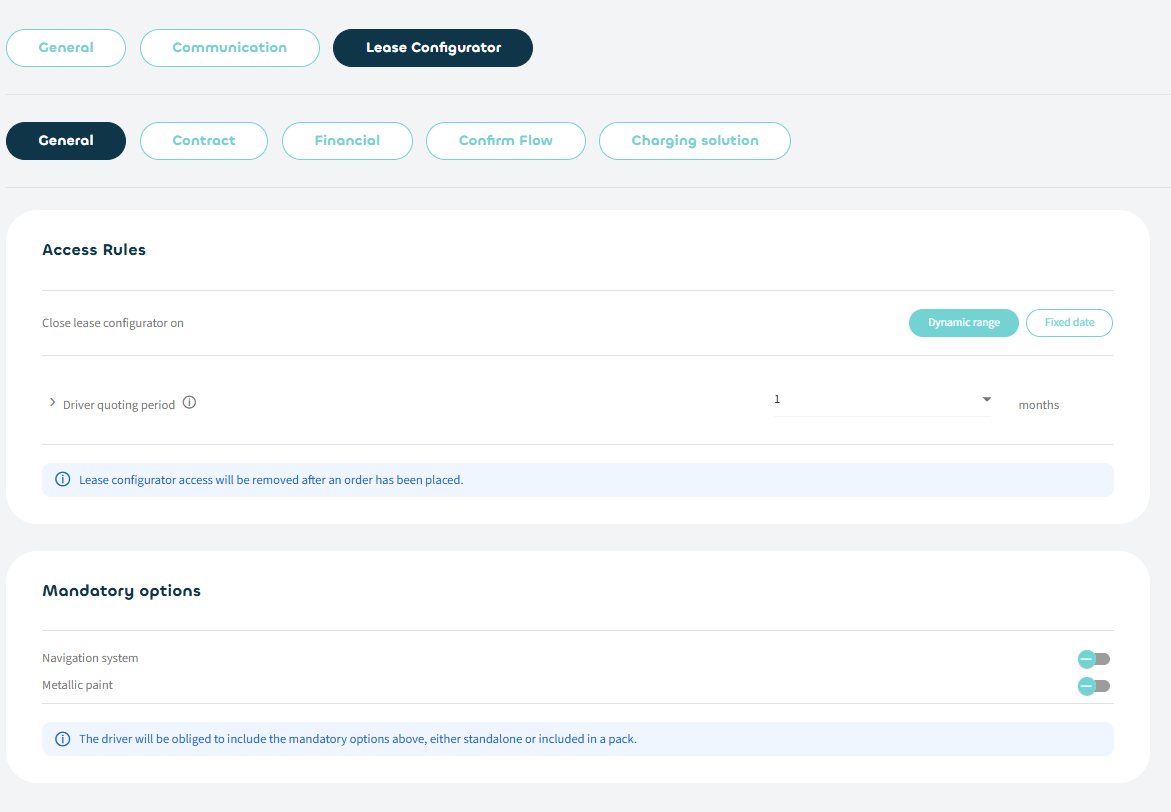
How to configure the Lease Configurator Go to the settings at the top right of the application, select "lease configurator", go trough all the settings and configure them to your liking. These settings will change how your drivers experience the lease configurator. Be aware that the settings are individual for each company. If you manage multiple companies, you will have to repeat the set up for each one of them. As a fleet manager, you will always see everything in the fleet interface. If you want to see what a driver sees, you can use "connect as user". You have this option for every created driver in "manage users", under the three dots and "connect as user".
How to give an employee access to the lease configurator? Go to "manage users", then "manage lease configurator access", use the search bar at the top to find the user you want, click on the 3 dot menu and select "manage access". Then follow the sidepanel flow. You will be able to grant access to a user immediately or schedule automatic opening on a later date.

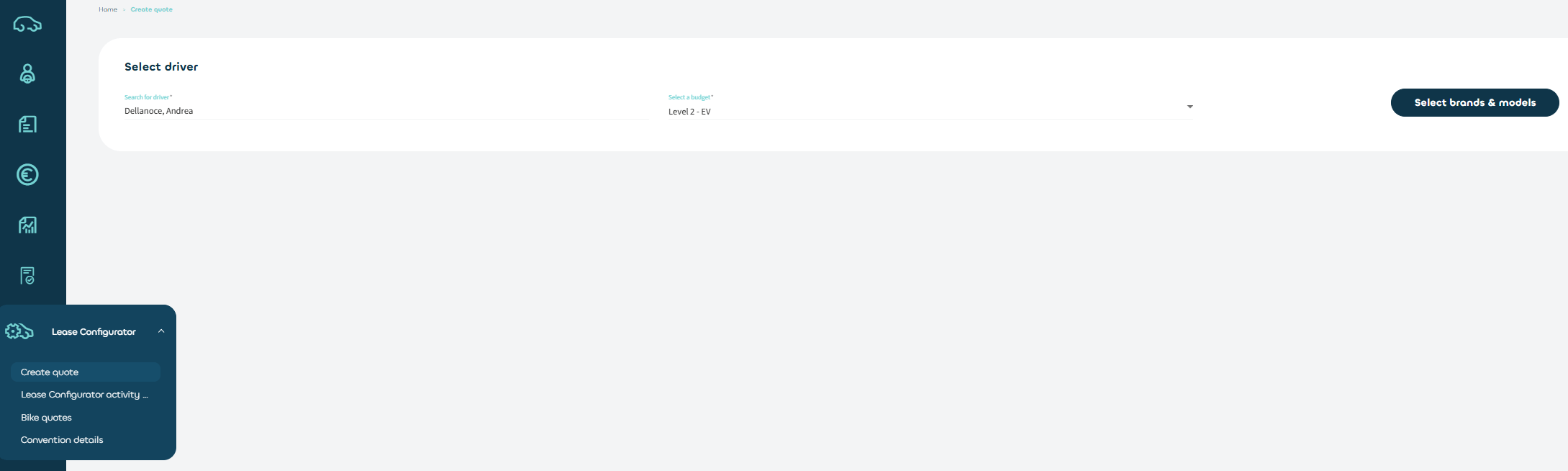
How to check if my driver has access to the Lease Configurator? Go to "manage users", then "manage lease configurator access" and use the search bar at the top to find the user you want. On the grid, you will find all relevant information on the access status of a driver.How to make a quote? Go to "lease configurator", then choose "create quote". Search an eligible driver and click on ""select brands and models"", select the vehicles you want and click on "search". Next, select the vehicle you want, click on "configure" and start configuring your vehicle.
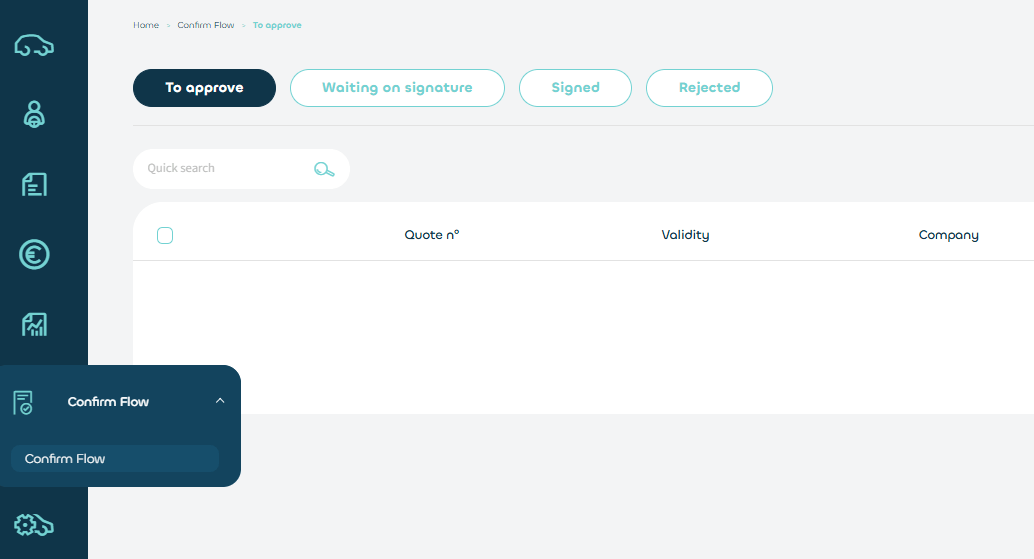
How does the Confirm Flow work? The Confirm Flow is our digital validation and signature process. After a driver confirms their choice, Ayvens will check if the configuration is correct. Once this is done, you will be able to review the details before signing the offer. In the settings, you can set if you want the driver to go through the confirmation as well (before you do).
How to access my reports & export them? Go to "reports", find the report you want and click on the "download" button in the report card to download the report. Some reports will give you the possibility to choose a range, but be aware that you are limited in a range time 13 months at this time. This range can be used in the period /year that you want. How to access my invoices & export them Go to "finance invoices", use the search bar at the top to find the invoice you want, click on the 3 dot menu and download your invoice as a pdf or csv file. When selecting multiple invoices, use the bulk action button to select how the selected invoices should be prepared. Download the zip file created in the "bulk downloads" tab.
Questions for drivers
How to book an appointment for maintenance? Go to your contracts and select the vehicle you want, then click on the "action" button in the top right corner and select "book appointment", follow the steps. The service planner currently supports our partners providing regular maintenance, technical repairs or quick repairs. If the chosen results show an agenda icon, you will be able to directly book an appointment in the partner's agenda. A confirmation e-mail and a reminder mail (24h in advance) will be sent to you. Other services will be supported in the future (e.g. tyre changes).
How to file an accident declaration? Go to "accidents" > "accident declaration" and follow the flow on the Ubench platform. How to consult my vehicle details? Go to your contracts and select the vehicle you want, then click on the "vehicle" tab on top to switch from contract to vehicle details. How to make a quote Go to "lease configurator" > "create quote" > "select brands and models" to filter out the vehicles you want and click on "search". Next, select the vehicle you want and choose one of the configurations possible by clicking on "configure" and start configuring your vehicle. You can come back to any made configuration at a later time, configurations are automatically saved. Once you confirm a configuration, you will not be able to continue configuring an other vehicle, unless the previous one is discarded. Which documents can I request/download? Accident statement, insurance card, resident permit, no claims certificate & technical inspection How to consult my fines? Go to your contracts and select the vehicle you want, then click on "advanced fines" on top to switch from contracts to the fines list. How to consult my energy transactions? Go to your contracts and select the vehicle you want, then click on "energy" on top to switch from contracts to the energy transactions list.